

Preloader
light-dark-switchbtn

What it is

TradingView is a charting and market analysis platform used by traders and investors for technical analysis, alerts, watchlists, and market research. It is widely used for stocks, crypto, forex, and other global markets.

Quick Summary

Best for:
Best for:

Charting and technical analysis

Pricing:
Pricing:

Free and Paid plans

Platform type:
Platform type:

Web / Mobile

Best for

TradingView works well for many types of traders, but it is especially strong for the groups below.

Beginners
Beginners

A strong choice for beginners who want clear charts, simple navigation, and room to grow.

Swing Traders
Swing Traders

Useful for swing traders and technical analysts who rely on chart setups, alerts, and multiple watchlists.

Global Stock Market
Global Stock Market

Helpful for users who want to follow stocks, crypto, forex, and global markets from one platform.
Icon
Advanced charting

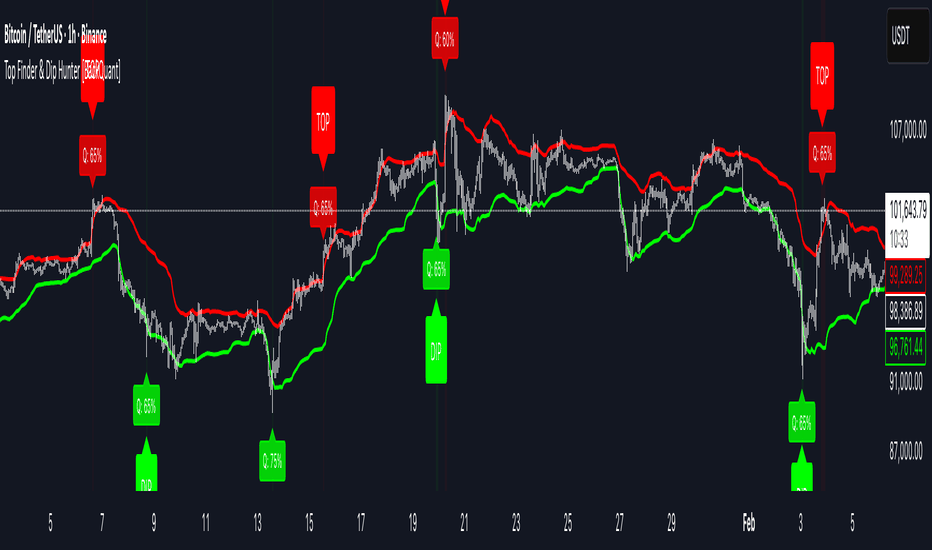
TradingView offers flexible and highly visual charts with a wide range of indicators, drawing tools, and layouts.

Icon
Community ideas

Users can explore trade ideas, market analysis, and chart setups shared by a large global community.

Icon
Alerts

The platform supports price alerts and technical alerts that help traders react faster to market moves.

Icon
Watchlists

You can organize assets into custom watchlists and monitor multiple markets from one place.

Icon
Screeners

TradingView includes stock, crypto, and forex screeners that make it easier to filter markets and find setups.

Icon
Multi-device access

TradingView works across web, mobile, and desktop, so users can check markets from almost anywhere.

Pros

Cons

  • Easy to use for both beginners and active traders
    Strong charting tools and clean visual layout
    Supports many markets in one platform
    Useful alerts, watchlists, and screeners
    Large community for shared ideas and market discussion
  • Many of the best features require a paid plan
    The number of tools can feel overwhelming at first
    Not built as a full automated trading bot
    Some advanced features may be more than casual users need

About Pricing

Basic chart analysis is possible, but advertisements are displayed.

The best choice for casual traders. It offers a clean, ad-free experience with up to 2 charts per tab, 5 indicators per chart, and 20 price alerts to keep you on top of the market.

Designed for active traders who need more power. You can view 4 charts per tab, use 10 indicators simultaneously, and set up to 100 alerts, including alerts based on technical indicators.

The highest level for individual traders. Provides maximum precision with second-based intervals, 8 charts per tab, 25 indicators per chart, and up to 400 price alerts for professional-grade analysis.

The complete TradingView experience for pros and firms. It removes most limitations, providing the highest number of chart layouts, advanced data access, and professional-tier features.

Who should use it

TradingView is a strong fit for beginners, technical traders, swing traders, and anyone who wants high-quality charting without moving straight into full automation tools.

Final verdict

TradingView is one of the best starting points for traders who want strong charting, flexible alerts, and a clean workflow.